Showing posts with label coding. Show all posts

Monday, April 27, 2015

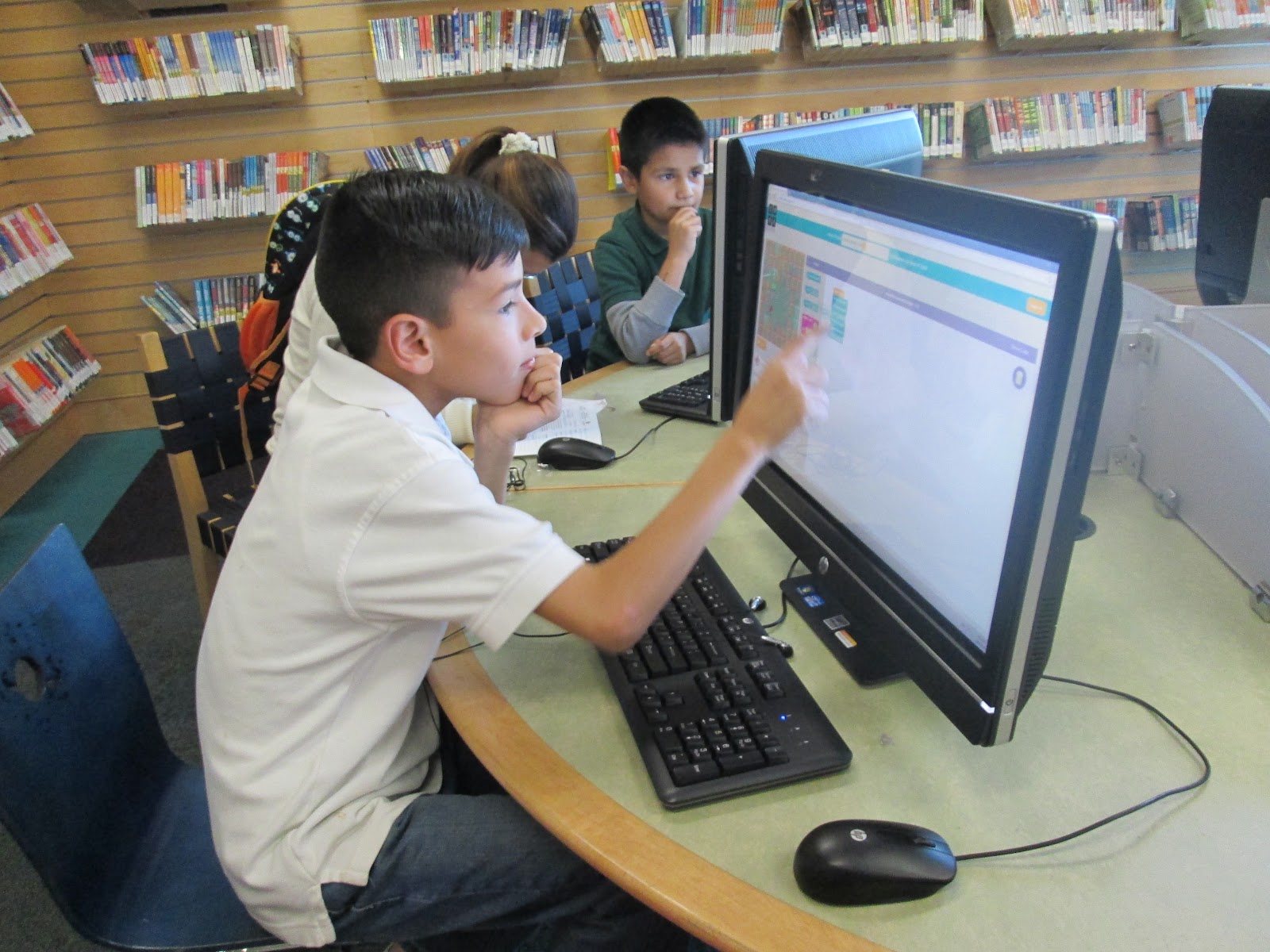
Why teaching and learning how to code in schools

15799651227_022df9b5be_o.jpg

Teaching coding in schools is a growing effervescent trend. The late Steve Jobs of Apple stated, “Everybody in the country should learn how to program a computer... because it teaches you how to think.”


But not only Mr Jobs had something to say; the supporters of this phenomenon are increasing endlessly. The BBC, among others, has launched a campaign in favour of learning coding (http://goo.gl/AHvVpV @Wired). In the same way, many governments have made up their minds to follow the lead; for instance, in Spain’s capital city, Madrid, the Education Department (@educamadrid) decided to include one hour a week to teach it as a mandatory subject last year, having achieved the initiative a great impact (http://goo.gl/Jp3qg6 @elpais_espana). In the USA, political parties joined to support the Hour of Code some months ago http://goo.gl/THaKfi @theverge). Even the world of fashion has been spreading the word actively with the help of some top models, like Karlie Kloss (@karliekloss), encouraging girls to learn coding (#‎KodeWithKarlie‬). And recently, the giant Microsoft has partnered with the CoderDojo Foundation.

Read the whole article in Edtechreview.in

Wednesday, February 18, 2015

The coming EdTech trends

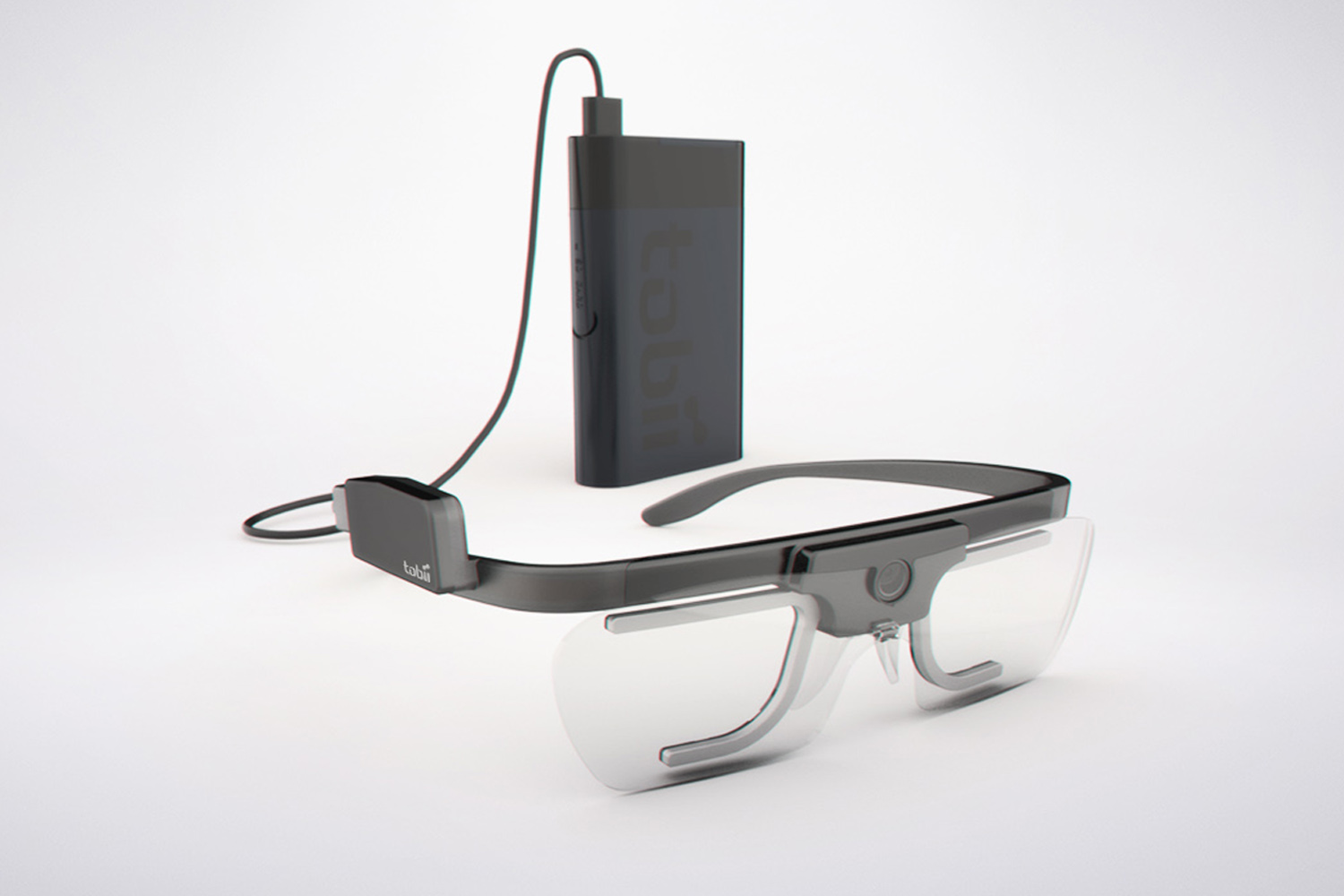
Tracker Wearable System

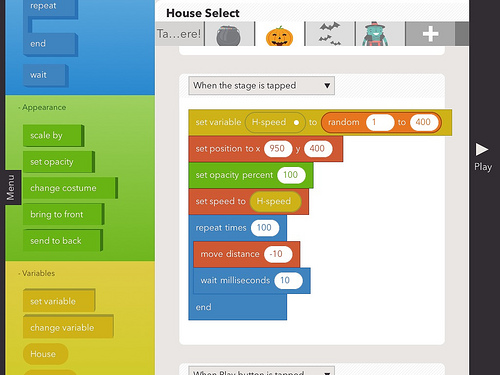
EdTech is about to explode. The coming technology and the new trends on the rise can’t but forecast an extensive technology adoption in schools all around the globe. Specific apps, systems, codable gadgets and the adaptation of general use elements to the school environment are engaging teachers and opening up the way to new pedagogical approaches. And while we are scratching the surface of some of them, others have just started to buzz persistently.

Read the whole story in Edtechreview.in

http://edtechreview.in/trends-insights/trends/1832-edtech-trends-for-the-coming-years

Monday, November 24, 2014

Learning how to code: Gamecodization - first results

(Usa la lista desplegable de idiomas del menú de la derecha para traducir este artículo.
Artikulu hau euskaratzeko erabili eskumako menuan kokatuta dagoen hizkuntza-zerrenda) --->


This 2014/2015 school year’s first term is about to expire. After approximately 12 lessons of coding (less than 12 hours of work), and one week for project development (homework time) the final results are really awesome, taking into count that:


  1. Students didn’t have any previous knowledge about coding.
  2. They didn’t know anything about game strategies.


As a picture’s worth a thousand words, have a look at this video to see some examples:


Here you have some of my first conclusions about this exciting project called Gamecodization (more at gamecodization.com):

  1. Different levels of students: superb (20%), average (70%), poor (10%).
    1. I divided coding exercises in stages, so all students could catch up eventually.
    2. I had to consider repeating 1 session for the lost ones.

  1. Student types:
    1. Engaged: they know what they’re doing. They use pseudocode wisely. They understand and solve. They want to learn deeper.
    2. Robotic: they translate pseudocode without much understanding. They don’t really know where to place code (inside loops, conditions…).
    3. Lazy: they need to have most of the pieces in place to start understanding things.

  1. Pseudocode:
    1. It’s key to help students in the beginning.
    2. It can be a problem when students just do things robotically, translating from pseudocode to code without further understanding.

  1. Debugging.
    1. Students don’t read compiler’s messages, they prefer to ask the teacher.
    2. There are plenty of problems with variable names due to case sensitiveness.
    3. I instructed my students to use PRINT sparingly to know variables’ states.

  1. Exercise phases: a single exercise can have many stages (increasing complexity). Start really simple and build on them more layers. Examples:
    1. Guess the number. Stages:
      1. Calculate a random number and print it properly (no decimals).
      2. Read a number from the console and print it.
      3. Now compare both numbers, for higher than and lower than.
      4. Loop everything until the win state is reached.
      5. Include other elements: messages, points, leaderboards, preferences.
    2. Avoid long, tedious exercises to avoid students getting stuck.

  1. Homework:
    1. Aside of coding games, basic exercises are of help to clarify some concepts:
      1. Basic operations: use of the console, file I/O.
      2. Arranging of elements.
      3. Dynamic data structures.
      4. Etc.
    2. I gathered my students in groups and gave them flipped resources so they could group in teams at home.

  1. Assessment:
    1. Projects in pairs (in three people groups one of the participants tends not to work as hard as the rest).
      1. Ask for pseudocode and code: the last one could not execute in the last time. And as a teacher you can always check the pseudocode to tutor them better.
      2. Some interesting and easy games to develop.
        1. Escape the maze.
        2. Arkanoid.
        3. Asteroids.
        4. Snake.
        5. Frogger.
        6. Space invaders.
        7. Other of their choice.
    2. Test exam:
      1. This will make them memorize better basic instructions (LET, PRINT…). Otherwise they’ll feel they don’t have to bear anything in mind, and they’ll waste lots of time checking compiler’s help all the time.
      2. Anyway, I made it easy, in the end you want to keep fun in your classes.
    3. Grade: you have three elements for grading.
      1. Theory: test.
      2. Practice: pseudocode and code (if code works well pseudocode shouldn’t grade anymore).
      3. Attitude, interest, behaviour.

  1. Game structure for arcades: for this first stage all the game developed have been based in the following algorithm.
    1. Initialization.
    2. Main loop
      1. Movement.
      2. Laser
      3. Enemies.
      4. Collisions.
      5. Items (keys…).
      6. Win-state check.
    3. End of game
    4. Leaderboard.


The main strategy for teaching coding through games has been:

  1. The idea is not to teach the coding language used (in this case Basic256), but to teach coding basis (sequences, conditions and loops) and strategies to build games.

  1. As lessons went ahead, I maintained a document (a sort of a cheat sheet), so they could know what instructions and concepts had been worked with, so they didn’t need to check the official documentation over and over.

  1. It’s key to start teaching very basic things through a simple game, in this case “Guess the number”.
    1. Print on the text console.
    2. Read a number from the console.
    3. Calculate a random number.
    4. Compare both numbers.
    5. Repeat the operation until the number is guessed.

  1. With the previous game you’ve covered the three structures and some instructions, as PRINT, READ, RAND, LET; WHILE, IF THEN.

  1. The students shouldn’t be breaking their heads trying to figure out complex things. For example, I gave them enough information to calculate a random number, as INT(RAND*10). The same goes for spaceship movement, collisions, point scoring and so on. It’s like giving them basic pieces so they can combine them in different ways to create a wide range of outcomes.

  1. I passed rapidly to graphic based games. Visuals are key for students. For the second exercise we developed a rebounding point:
    1. Concepts of x,y positioning (plot).
    2. Variable for controlling the direction of the point (NE, NW, SE, SW).
    3. Out-of-bounds control, to make the point move properly.

  1. For the third exercise we started developing the Asteroids game (reduced version). In it I introduced the concepts of game structure (main loop), etc. Challenges took the form of:
    1. How to move several elements at the same time: they tried using FORs, popping up the concept of time slicing.
    2. How to set an element’s life-cycle in the main loop (as a laser), also popping the concept of flags.
    3. One of the topmost curious things was the fact that some students had the tendency to include code out of the main loop, revealing they hadn’t understood correctly previous concepts.

  1. Other aspects, as sprite collision, were easier to solve, as basic256 includes several ad-hoc functions. It is so easy to manage you don’t even need arrays to structure your sprites, as you can use expressions like SPRITEPLACE 1, SPRITEX(1)+5, SPRITEY(1) to move the sprite #1 to the right 5 positions.

  1. After finishing the basic version of asteroids we started including other elements: explosions, animations, points, leaderboards...

  1. As a final project my students had the opportunity to choose a game and develop it in groups (check the video).

Tuesday, September 16, 2014

Teaching coding through games: gamecodization!

We might think that teaching coding is something boring and complicated. But when you base your exercises on games (you gamecodize :-D) then… your students get astonished!


When I wrote computer code in Introducing a new subject can be threatening for some people. Things get worse for those students not in favour of STEM matters.Then, how to make them buy your fabulous lessons about coding? Act as an illusionist.
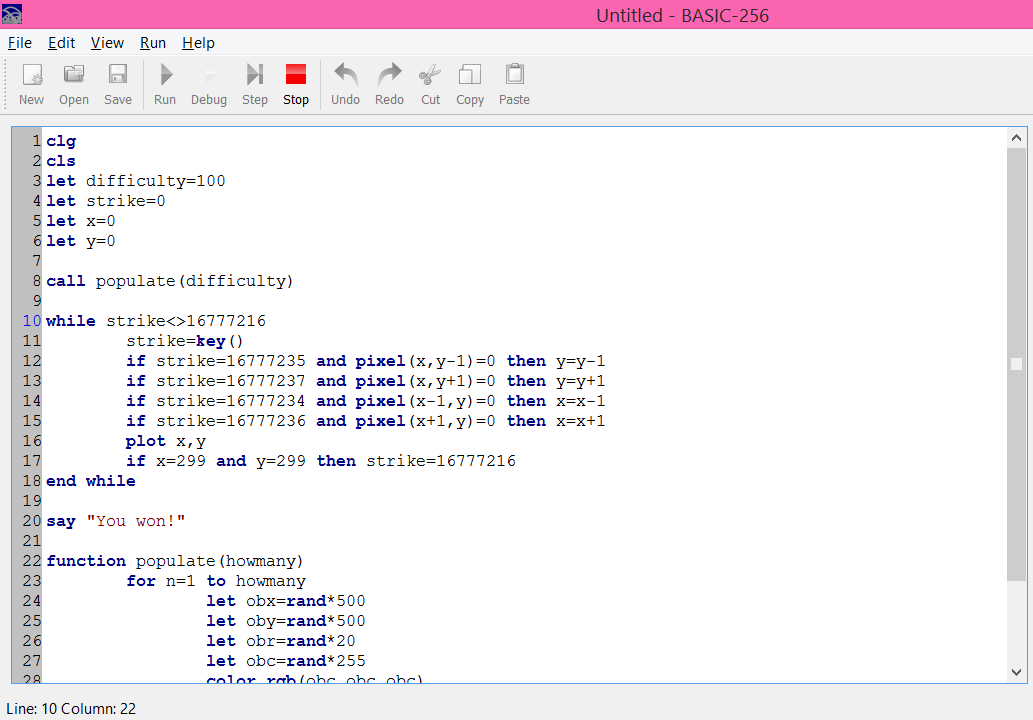
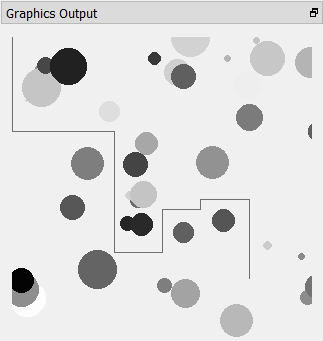
First of all switch your digital board and open your IDE (I’ve used Basic256). Start speaking about video games: how long they think a game needs to be coded, types of games, etc. Let them express themselves about the topic.


Then start to explain what Tron is: a film by Disney which gave way to several games. Let them go on speaking about different aspects of the game while you start typing code. For sure you’ll listen to the silence (students suddenly shut up hypnotized by what you are doing) as you go on striking your keyboard, but break it to explain what you are doing and how (different aspects of coding, as main loops, debugging, variables, strategies, etc).


Some tips:


  1. Use the help window: they should realize they don’t need to know everything by heart. If doubts pop up a helping window can also pop up.
  2. Make some mistakes on purpose: that’ll give them a good view of what debuging and trial-and-error are.
  3. Show some hesitation and use the expression “let’s try…”
  4. Use a scaffolding approach, constructing the main algorithm, and adding new elements around it as you continue.


My basic version of Tron game needs about 10 minutes top to be coded. When you execute the final code and the students see the results they get way surprised by how easily you can make games.


The coding phases go like this:


  1. Create a main loop and listen to the keyboard. If ESC is pressed exit the loop.
  2. Insert the code for the motorbike (a point) to go down the screen when pressing the down arrow.
  3. Do the same for the rest of the keys.
  4. Move the point around, with no physical restraints.
  5. Make the algorithm detect the walls left by the point, and make them “real”.
  6. Let the player win when getting to the bottom right corner.
  7. Add random spheres as obstacles.


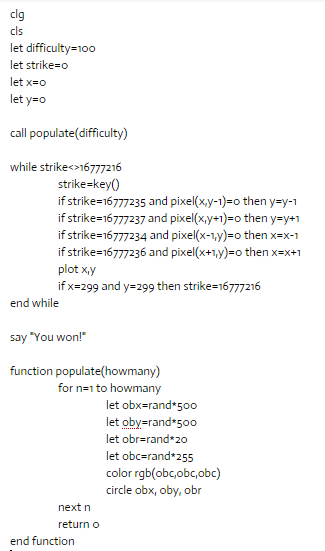
The lines of code look like this:


For more ideas about what games to code check the following list. MVC stands for model/view/controller, and AI for artificial intelligence. The grades have been given taking in count: that a student has to code them, and Basic’s features.


Difficulty
Text/graphic
MVC
Sprites
Data
AI
Animal, vegetable,
difficult
text
yes
no
matrix
basic
Arcanoid
difficult
graphic
yes
yes
matrix
no
Asteroids
medium
graphic
no
yes
array
no
Battleship
medium
both
no
no
matrix
no
Bejeweled
difficult
both
yes
yes
matrix
no
Biggest card
easy
both
no
no
array
no
Checkers
difficult
both
yes
no
matrix
yes
Connect four
medium
both
yes
no
matrix
yes
Conversation
easy
text
no
no
variable
no
Dodger
easy
graphic
no
yes
array
no
Escape the maze
easy
graphic
both
both
matrix
no
Guess the number
easy
text
no
no
variable
basic
Hang man
medium
both
no
no
array
no
Land on the moon
medium
graphic
no
yes
variable
no
Life's game
medium
graphic
yes
no
matrix
no
Marble, chips...
easy
text
no
no
variable
no
Master mind
medium
text
no
no
array
no
Math sequences
medium
text
no
no
array
no
Poker
medium
both
yes
no
matrix
medium
Pong
medium
graphic
no
yes
variable
no
Puzzle: match pairs
easy
both
yes
yes
matrix
no
Puzzle: sliding
medium
both
yes
yes
matrix
no
Simon says
easy
both
yes
no
array
no
Snake
difficult
graphic
yes
yes
matrix
no
Space invaders
difficult
graphic
no
yes
array
no
Text adventure
medium
text
yes
no
matrix
no
Three in a row
medium
both
yes
no
matrix
medium
Tic-tac-toe
easy
both
yes
no
matrix
basic
Tron
easy
graphic
no
no
variable
no